




Social WiFi.
Social WiFi turns your guest WiFi into something useful. Guests connect through a branded login page instead of an open network, and, with their consent, you capture their details for your CRM and your marketing. It is an optional addition to a WiFi & Networking install, set up and managed by us.
Get in touchWhy We Work With Social WiFi.
Open guest WiFi gives you nothing back and no control over how it is used. Social WiFi runs on the TP-Link Omada access points we already fit, so there is no extra hardware, and it keeps guest traffic on its own network, away from your business systems. We set it up, brand the login page and manage it, so it runs quietly in the background while you get on with the day.
WiFi & Networking
What It Does.
A guest connects once, and from then on the platform does the work.
- A branded login page. Your logo and your colours, with a choice of sign-in methods. Guests see your business, not the make of the access point.
- Customer details, with consent. Name, email, phone number and date of birth can be captured at login, and only what the guest agrees to. Consent and retention are managed in the platform.
- Export to your CRM. Captured details go to compatible CRM tools, so a first visit becomes a contact you can follow up.
- Follow-up that runs itself. Social WiFi's platform can send automated email after a visit, ask for a review at the right moment and recognise a returning guest. We switch on what suits your business.
Runs on Your Omada Network.
Social WiFi works with the TP-Link Omada access points, switches and router we install, so it is a setting on the network you already have rather than another box on the wall. Guests get straightforward internet access on a separate guest network, and your business systems stay on their own.
Because your router, switches and access points sit in one Omada dashboard, we can see the guest network alongside everything else, apply updates and make changes without visiting site.
TP-Link Omada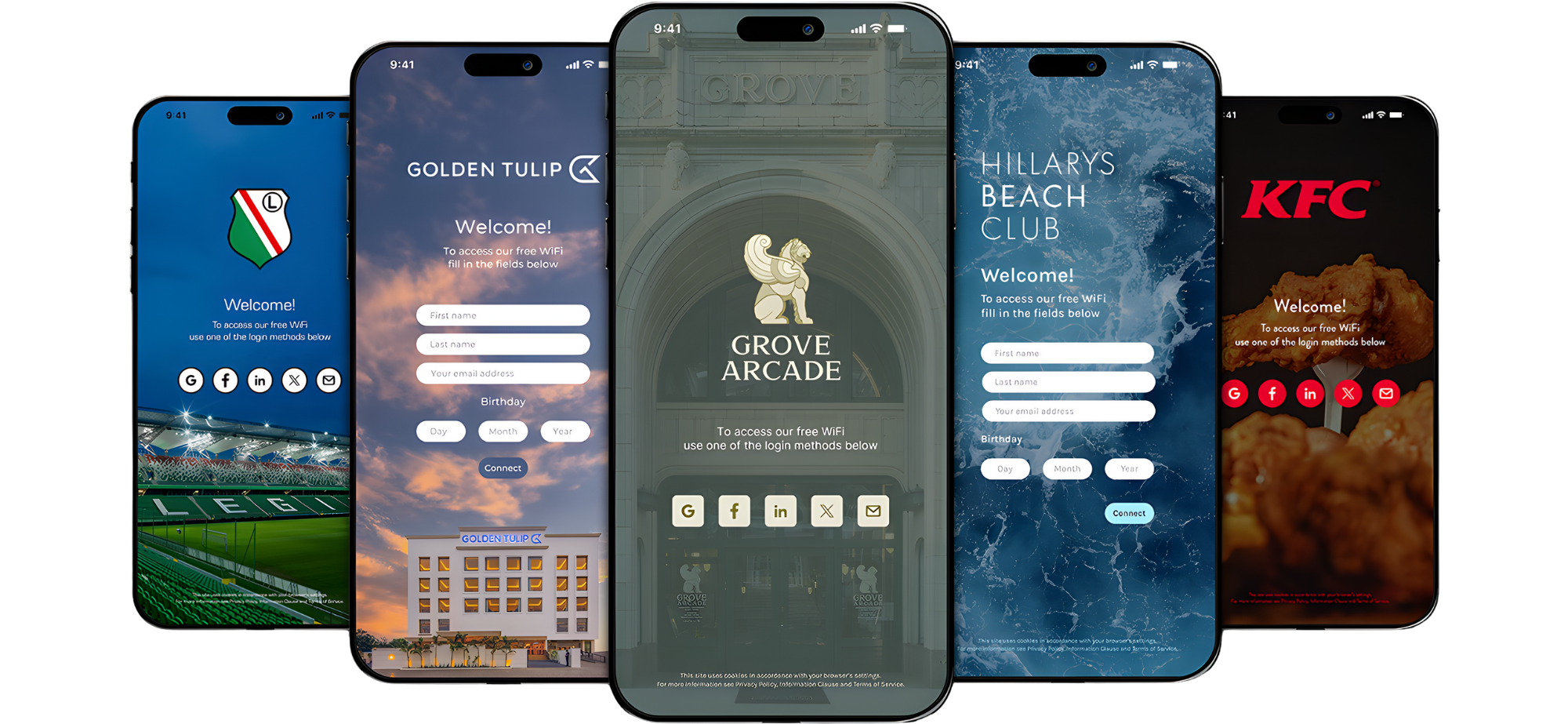
Guests Choose What They Share.
Marketing follow-up needs the guest's permission. The login page asks for it in plain words, the guest decides, and the platform records the answer and how long the details are kept. You decide what to collect and what to do with it, and we set the platform up to match.
Get in touchLet’s Talk.
Tell us about your venue and who visits it, and we will show you what a branded guest login would look like for you.
Get in Touch.